Top Document Automation Platforms for Streamlined Workflows
Whether you’re looking to enhance productivity or impress clients, finding the perfect document automation tool can feel like searching for a needle in a haystack. But don’t worry, we’ve identified the top options to suit every business need and budget!
A Quick Overview:
- Best All-in-One Document Automation Platform – PandaDoc
- Best for Seamless E-Signatures – DocuSign
- Best for Small Businesses – HelloSign
- Best for Customizable Templates – Proposify
How to Choose the Perfect Document Automation Platform

Selecting the ideal document automation platform is crucial for enhancing your business’s efficiency and professionalism. The first step is to assess your specific needs: Do you require a solution primarily for e-signatures, or are you looking for a comprehensive tool that handles document creation, tracking, and storage? Understanding your requirements will help narrow down the options.
Integration capabilities are another vital factor. Ensure that the platform you choose can seamlessly integrate with your existing tools, such as CRM systems, payment gateways, and collaboration apps. This connectivity streamlines workflows and reduces the need for manual data entry, saving time and minimizing errors.
Finally, consider the user experience. A platform with an intuitive interface and robust customer support will facilitate a smoother transition and quicker adoption by your team. Look for solutions that offer customizable templates, real-time collaboration features, and mobile accessibility to keep your business agile and responsive.
Best Picks for Document Automation Platforms
In this section, we’ll explore some of the best document automation platforms available. Each product combines functionality and user-friendliness, offering options to elevate your business processes. Below, we’ve reviewed each standout platform to help you make an informed choice for your next investment.
PandaDoc

PandaDoc is an all-in-one document automation platform designed to streamline the creation, management, and e-signature of documents. With its intuitive interface and robust features, PandaDoc empowers businesses to close deals faster and reduce paperwork inefficiencies.
Pros
- Comprehensive document management
- Seamless e-signature integration
- Customizable templates
Cons
- Advanced features may require a learning curve
- Pricing tiers may be high for small businesses
The Bottom Line
PandaDoc offers a robust solution for businesses seeking to automate their document workflows, from creation to signing, enhancing efficiency and professionalism.
PandaDoc Specs:
- Integrations: CRM systems, payment gateways, and more
- Templates: Extensive library of customizable templates
- Security: Compliant with industry-standard security protocols
DocuSign
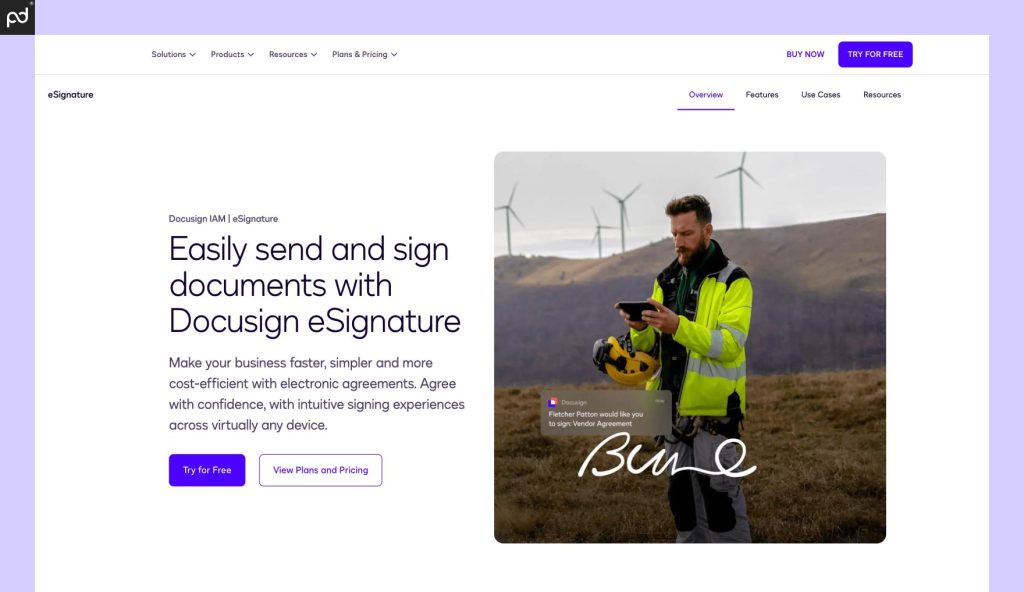
DocuSign is a leading e-signature solution that enables businesses to sign, send, and manage documents securely in the cloud. It’s widely recognized for its reliability and extensive integration capabilities.
Pros
- User-friendly interface
- Strong security features
- Wide range of integrations
Cons
- Primarily focused on e-signatures
- Higher cost for advanced features
The Bottom Line
DocuSign is an excellent choice for businesses seeking a dependable and secure e-signature solution with broad integration options.
DocuSign Specs:
- Integrations: Supports numerous applications and services
- Security: Meets global security standards
- Mobile App: Available for iOS and Android
HelloSign

HelloSign offers a straightforward e-signature solution tailored for small to medium-sized businesses. Its simplicity and affordability make it an attractive option for companies looking to digitize their signing process without extensive features.
Pros
- Easy to use
- Affordable pricing
- Google Workspace integration
Cons
- Limited advanced features
- Fewer integrations compared to competitors
The Bottom Line
HelloSign is ideal for small businesses seeking a cost-effective and user-friendly e-signature solution.
HelloSign Specs:
- Integrations: Google Workspace, Dropbox, and more
- Security: Compliant with industry-standard security protocols
- Templates: Basic template functionality
Proposify

Proposify specializes in proposal management, offering customizable templates and tools to create compelling business proposals. It’s designed to help businesses streamline their proposal process and increase close rates.
Pros
- Extensive template library
- Collaboration features
- Analytics and tracking
Cons
- Focused primarily on proposals
- May be overkill for simple document needs
The Bottom Line
Proposify is perfect for businesses that frequently create proposals and need a tool to enhance their efficiency and effectiveness.
Proposify Specs:
- Integrations: CRM platforms, payment processors, and more
- Security: Industry-standard encryption and compliance
- Templates: Customizable templates with branding options
The Growing Need for Document Automation in Modern Businesses
In today’s fast-paced digital landscape, businesses are constantly seeking ways to streamline operations, enhance productivity, and improve collaboration. Document automation has become a critical tool in this transformation, allowing companies to reduce manual paperwork, speed up approval processes, and minimize errors. Platforms like PandaDoc offer all-in-one solutions that integrate e-signatures, document tracking, and workflow automation to simplify business processes. By leveraging such tools, organizations can save time, reduce operational costs, and enhance client experiences.
Companies that automate their document workflows see a 40% reduction in processing time and a 30% increase in deal closure rates,according to a report from Forbes Business Insights.
Security and compliance are also major considerations when choosing a document automation platform. Businesses need solutions that not only accelerate productivity but also ensure data protection and legal compliance. With features like encryption, audit trails, and secure cloud storage, platforms like PandaDoc provide businesses with a safe and reliable way to manage sensitive documents. As digital transformation continues to evolve, more companies are recognizing the necessity of adopting document automation to stay competitive in their industries.
Security and compliance are top priorities for businesses adopting automation, and leading platforms provide advanced encryption and legal safeguards to protect sensitive data,states TechCrunch
Simplify Your Workflow with PandaDoc
Let’s be honest—no one enjoys drowning in paperwork, chasing down signatures, or spending hours formatting documents. With PandaDoc, you can automate all of that and get back to the important things—like closing deals, wowing clients, or, let’s be real, actually enjoying your coffee while it’s still hot. Whether you need sleek proposals, secure e-signatures, or an all-in-one document management solution, PandaDoc has your back.
Stop wasting time on tedious tasks and start streamlining your business with document automation that actually makes your life easier. Ready to transform the way you work? Give PandaDoc a try today and see how much smoother your workflow can be!
FAQs
1. What is PandaDoc used for?
PandaDoc is a document automation platform that helps businesses create, send, track, and e-sign documents like proposals, contracts, and invoices.
2. Can I integrate PandaDoc with my CRM or other tools?
Yes! PandaDoc integrates with popular tools like Salesforce, HubSpot, Google Drive, and more to streamline your workflow.
3. Is PandaDoc legally binding for e-signatures?
Yes, PandaDoc e-signatures are legally binding and compliant with industry regulations, including ESIGN and UETA.
4. Does PandaDoc offer a free trial?
Yes! PandaDoc provides a free trial so you can explore its features before committing to a subscription.